Common WhatsApp Scams in 2026 and How to Avoid Them
WhatsApp remains one of the world’s most popular messaging apps, connecting billions of people every day. Unfortunately, its popularity has…
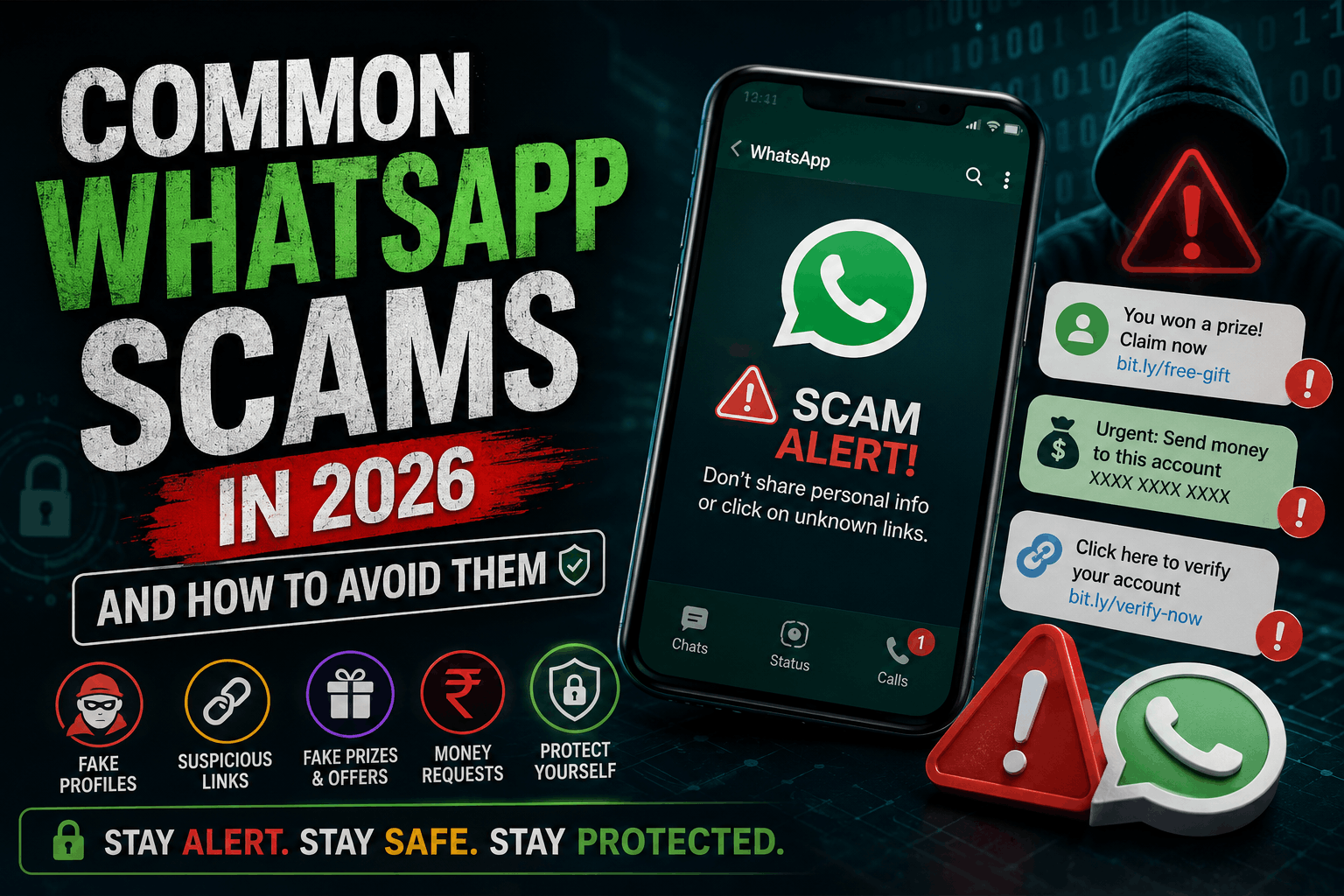
WhatsApp remains one of the world’s most popular messaging apps, connecting billions of people every day. Unfortunately, its popularity has also made it a favourite target for cybercriminals. In 2026, scammers are using more advanced techniques than ever before, including fake customer support accounts, AI-generated voice messages, phishing links, and deepfake videos to trick users into sharing personal information or sending money.
Whether you use WhatsApp for personal conversations or business communication, understanding the latest scams is essential. This guide explains the most common WhatsApp scams in 2026 and provides practical tips to help you stay safe online.
Keeping your devices secure is the first step to avoiding online fraud. If you also use Windows, check out our guide on Make Windows 11 Faster Without Software (2026) to improve both performance and security.
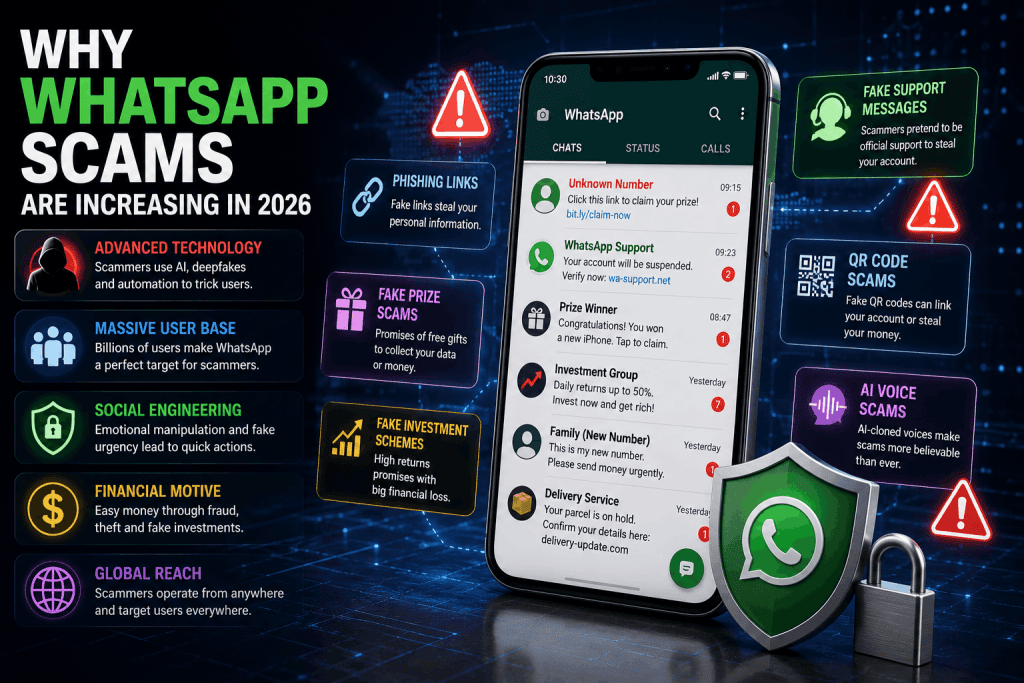
Why WhatsApp Scams Are Increasing
Cybercriminals constantly look for platforms where people trust messages from friends, family, and businesses. WhatsApp provides exactly that environment.
Modern scammers use:
- Artificial Intelligence
- Fake websites
- QR code scams
- Deepfake voice messages
- Fake payment requests
- Phishing attacks
These scams are becoming more convincing every year.
1. Fake Customer Support Scams
Scammers pretend to be WhatsApp Support or a well-known company.
They claim:
- Your account will be suspended.
- Your verification has failed.
- Your account has been hacked.
They then ask you to verify your account using a code or click a fake link.
How to Stay Safe
- WhatsApp never contacts users through private chats.
- Never share your verification code.
- Ignore unknown support messages.
2. Verification Code Scam
This is still one of the most common WhatsApp scams.
A scammer requests your six-digit verification code, claiming it was sent to you by mistake.
Once you share the code, they immediately take control of your account.
Protection Tips
- Never share verification codes.
- Enable Two-Step Verification.
- Only verify your account on your own device.
3. Fake Prize and Giveaway Messages
You may receive messages saying:
- Congratulations!
- You won a smartphone.
- Claim your free gift.
- Click here to receive your reward.
These messages usually lead to phishing websites designed to steal your personal information.
Avoid This Scam
- Ignore messages promising free prizes.
- Verify promotions on official company websites.
- Never enter personal information on unknown pages.
4. QR Code Scams
QR codes are now widely used for payments and account logins.
Scammers create fake QR codes that:
- Redirect users to phishing websites.
- Authorise payments.
- Link devices to stolen accounts.
Stay Protected
- Scan QR codes only from trusted sources.
- Double-check payment requests.
- Never scan codes received from strangers.
5. AI Voice Message Scams
Artificial Intelligence has made voice scams far more convincing.
Scammers clone someone’s voice and send fake audio messages asking for urgent financial help.
The message may sound exactly like a family member or close friend.
What You Should Do
- Call the person directly before sending money.
- Verify requests using another communication method.
- Never trust urgent payment requests received only through voice messages.
6. Fake Investment Groups
Many scammers invite users to WhatsApp investment groups.
They promise:
- Guaranteed profits
- Cryptocurrency gains
- Daily income
- Risk-free investments
Most of these groups disappear after collecting money.
Safety Advice
- Avoid guaranteed investment promises.
- Research companies before investing.
- Never send money to unknown individuals.
7. Fake Job Offers
Employment scams continue growing in 2026.
Victims receive messages offering:
- High salaries
- Remote work
- Easy online jobs
Before hiring, scammers ask applicants to pay registration or training fees.
Remember
Legitimate employers do not ask candidates to pay recruitment fees.
8. Fake Payment Screenshots
Scammers often send edited payment confirmations claiming they’ve transferred money.
They ask sellers to deliver products before the payment actually arrives.
Always Verify
Check your banking app before sending goods or services.
Never rely only on screenshots.
9. Malicious Links
Suspicious links remain one of the biggest threats.
These links may:
- Install malware
- Steal passwords
- Collect banking information
- Redirect users to fake login pages
Never click unknown links without verifying the sender.
If you’re interested in recognising manipulated online content, read our guide on How to Spot Fake AI Images and Videos (2026).
10. Family Emergency Scam
Scammers pretend to be relatives using a new phone number.
Typical messages include:
“This is my new number.”
“I lost my phone.”
“Please send money urgently.”
These scams rely on emotion and urgency.
Always verify the person’s identity before responding.
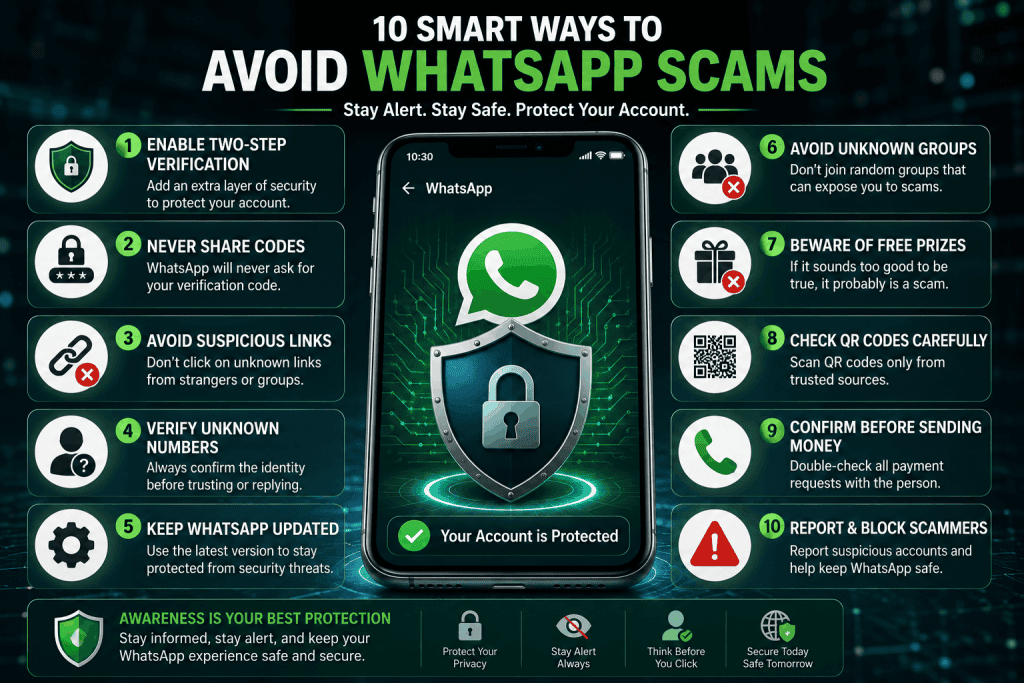
How to Protect Yourself from WhatsApp Scams
Following a few simple security habits can greatly reduce your risk.
- Enable Two-Step Verification.
- Never share verification codes.
- Keep WhatsApp updated.
- Avoid suspicious links.
- Verify payment requests.
- Block and report suspicious accounts.
- Use strong passwords for connected email accounts.
Android users should also protect their phones against malware. Read How to Remove Virus from Android (2026) for additional security tips.
Warning Signs of a WhatsApp Scam
Be cautious if a message:
- Creates urgency.
- Requests money.
- Asks for verification codes.
- Contains suspicious links.
- Promises unrealistic rewards.
- Comes from unknown numbers.
These are common warning signs of fraud.
What To Do If You Become a Victim
If you believe you’ve been scammed:
- Change your passwords immediately.
- Enable Two-Step Verification.
- Contact your bank if payment information was shared.
- Report the account to WhatsApp.
- Warn friends and family.
Quick action can reduce potential damage.
Final Thoughts
WhatsApp scams continue evolving, but awareness remains your strongest defence. Taking a few minutes to verify suspicious messages, avoiding unknown links, and enabling security features can protect both your personal information and your finances.
Cybercriminals constantly develop new tricks, but staying informed helps you stay one step ahead. As AI-powered scams become more realistic, always verify unexpected requests before taking action.
You can also improve your online productivity safely by exploring our article Top 10 Free AI Tools Everyone Should Use in 2026.
Frequently Asked Questions
What is the most common WhatsApp scam in 2026?
Verification code scams and fake customer support messages remain the most common.
Can someone hack my WhatsApp without my verification code?
In most cases, scammers need your verification code or access to your linked devices.
Is Two-Step Verification worth enabling?
Yes. It adds an extra layer of security and helps prevent account theft.
Should I trust WhatsApp messages from unknown numbers?
No. Always verify the sender before responding or clicking any links.
How do I report a scammer on WhatsApp?
Open the chat, tap the contact name, scroll down, and choose Report and Block.
Comments
No comments yet. Be the first to comment!
Related Blogs
 Technology
How to Check If Your Phone Has Been Hacked…
spidernewshub
 Technology
Best HP 14 Laptop 2026 Review – Intel Processor,…
spidernewshub
 Technology
Make Windows 11 Faster Without Software (2026)
spidernewshub
Leave a Comment