How to Check If Your Phone Has Been Hacked (2026 Guide)
Smartphones have become an essential part of everyday life. From online banking and shopping to social media and work, we…
Smartphones have become an essential part of everyday life. From online banking and shopping to social media and work, we store a huge amount of personal information on our devices. Unfortunately, hackers are always looking for new ways to steal that information.
If your phone suddenly starts behaving differently, it may not simply be a software issue. In some cases, unusual activity can be a warning sign that your device has been compromised.
This guide explains the most common signs of a hacked phone, how to check your device for security threats, and the best ways to protect your personal data in 2026.
As smartphones become smarter every year, cyber threats are also becoming more advanced. Artificial intelligence is now playing a major role in identifying security risks and protecting users online. To learn more, read our guide on Top 10 Free AI Tools Everyone Should Use in 2026.
1. Your Battery Drains Much Faster Than Before
A sudden drop in battery life can sometimes indicate that malicious software is running in the background.
Some harmful apps continuously collect information, track activity, or communicate with remote servers, which increases battery usage.
Before assuming your phone has been hacked, check whether a recent app installation or system update could also explain the change.
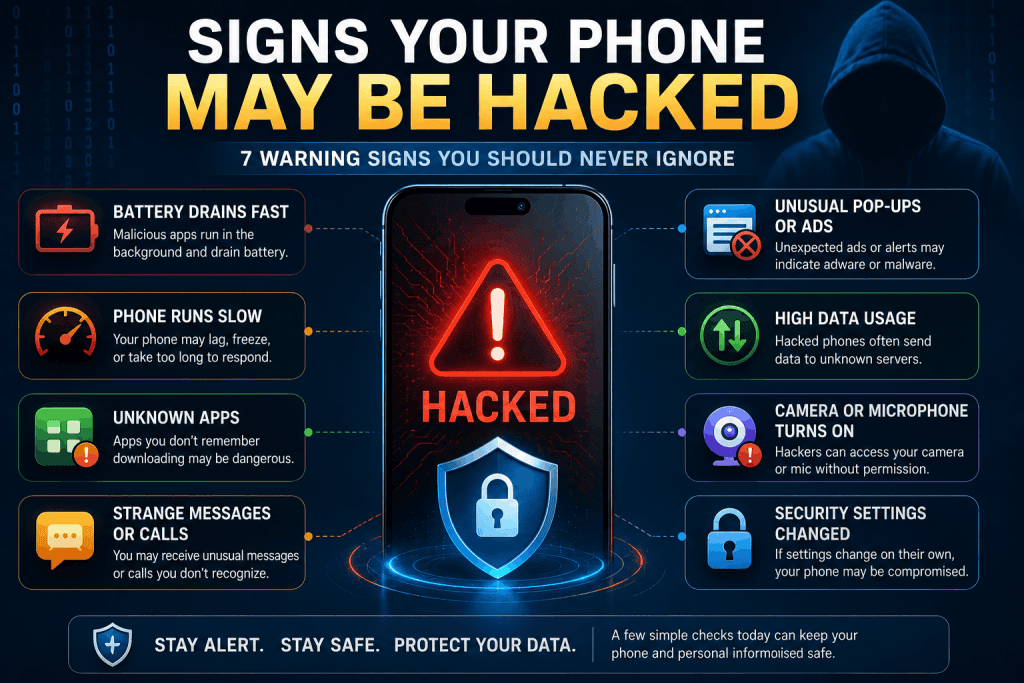
2. Your Phone Becomes Unusually Slow
If your phone frequently freezes, crashes, or takes much longer to open apps than before, background malware may be consuming system resources.
Although older devices naturally become slower over time, a sudden performance drop deserves attention.
Restart your phone and monitor whether the problem continues for several days.
3. Unknown Apps Appear on Your Device
One of the clearest warning signs is finding applications that you never downloaded.
Some malicious software installs additional apps without the user’s knowledge.
Review your installed apps regularly and uninstall anything unfamiliar.
4. Strange Pop-ups Keep Appearing
Do you suddenly see advertisements while your browser is closed?
Random pop-ups, fake security alerts, or unexpected browser redirects may indicate adware or malicious software.
Avoid tapping these messages because they often lead to dangerous websites.
5. Your Phone Uses More Mobile Data
Hackers sometimes use infected devices to transfer information in the background.
If your monthly data usage suddenly increases without any change in your habits, check your phone’s data usage settings to identify which apps are consuming the most data.
6. Friends Receive Messages You Never Sent
If family members or friends tell you they received strange messages from your number or social media accounts, your device or account may have been compromised.
Immediately change your passwords and enable two-factor authentication.
7. Your Camera or Microphone Activates Unexpectedly
Modern smartphones display indicators when the camera or microphone is in use.
If these indicators appear while you are not using those features, review your app permissions immediately.
Unauthorized access should always be investigated.
How to Check Whether Your Phone Is Safe
If you suspect your phone has been hacked, follow these simple steps:
- Update your operating system.
- Remove suspicious apps.
- Scan your device using a trusted mobile security application.
- Change passwords for important accounts.
- Enable two-factor authentication.
- Review app permissions.
- Restart your device after removing suspicious software.
These steps solve many common security problems without requiring advanced technical knowledge.
How to Protect Your Phone from Future Attacks
Preventing a security problem is always easier than fixing one.
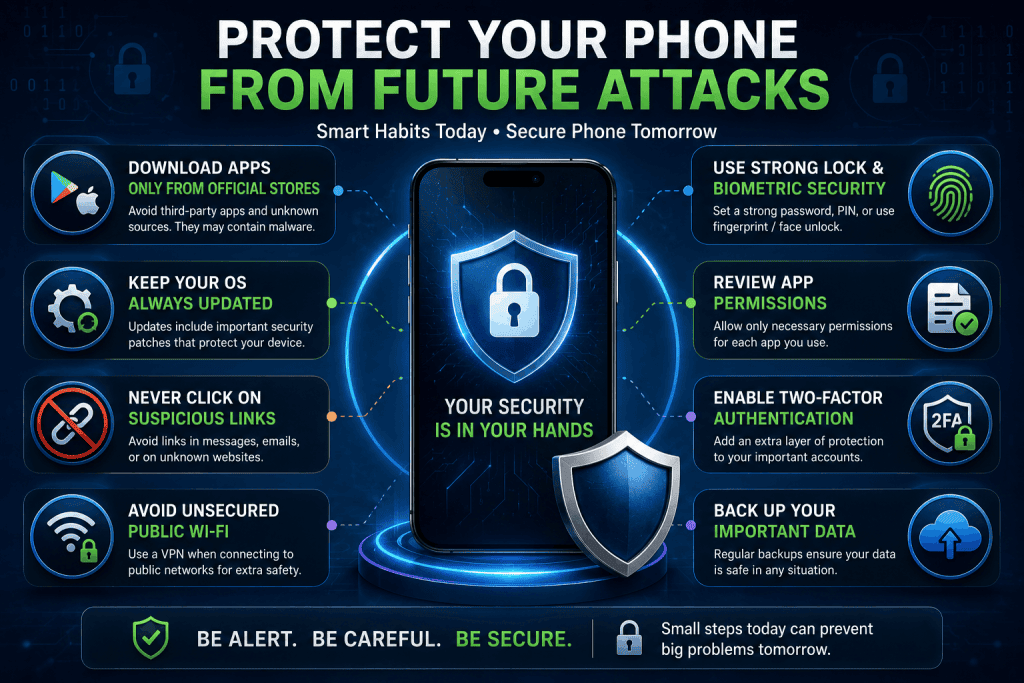
Here are several habits that can significantly improve your phone’s security:
- Download apps only from official app stores.
- Keep Android or iPhone updated.
- Never click suspicious links in emails or text messages.
- Avoid connecting to unsecured public Wi-Fi without protection.
- Use a strong screen lock and biometric security whenever possible.
- Regularly back up important files.
Developing these habits greatly reduces the risk of future attacks.
Modern technology is changing rapidly, and understanding new innovations can help you stay safer online. You may also enjoy reading our article on New Earth-Like Planet Discovered? What Scientists Know in 2026.
When Should You Reset Your Phone?
If malware continues to return after uninstalling suspicious apps, or your phone still behaves abnormally after software updates, a factory reset may be the safest option.
Before performing a reset, back up your photos, contacts, and other important files.
Only restore trusted backups after the reset is complete.
Keeping yourself informed about the latest technology trends can improve both your digital security and everyday productivity. Don’t miss our detailed guide on Top 10 Free AI Tools Everyone Should Use in 2026 for practical AI tools that can help with work, learning, and online tasks.
Final Thoughts
Smartphone security is more important than ever in 2026. While unusual behavior does not always mean your phone has been hacked, it should never be ignored.
By recognizing the warning signs early, keeping your device updated, and following basic cybersecurity practices, you can significantly reduce the chances of becoming a victim of mobile malware or hacking attempts.
Taking a few preventive steps today can help protect your personal information for years to come.
Comments
No comments yet. Be the first to comment!
Related Blogs
 Technology
Samsung Galaxy Z Fold 8: Everything We Know So…
spidernewshub
 Technology
How to Remove Virus from Android (2026)
spidernewshub
 Technology
How to Spot Fake AI Images and Videos (2026)
spidernewshub
Leave a Comment