
10 Hidden Android 17 Features You Should Enable Today
Android 17 is more than just another software update. While many users notice only the visual changes, the latest version…

Android 17 is more than just another software update. While many users notice only the visual changes, the latest version includes several hidden features designed to improve privacy, productivity, security, and everyday performance.
If you’ve recently updated your phone—or are planning to—these Android 17 features are worth enabling right away.
In this guide, we’ll explore ten useful Android 17 features that many users overlook and explain how they can improve your smartphone experience.
Keeping your smartphone updated is only one part of staying secure. If you’re worried about your device’s safety, don’t miss our detailed guide on How to Check If Your Phone Has Been Hacked (2026 Guide), where we explain the most common warning signs and how to protect your personal data.
1. Floating App Bubbles for Better Multitasking
Android 17 expands support for floating app bubbles, allowing supported apps to stay on screen while you work in another application.
This is especially useful for messaging, note-taking, or quick replies without interrupting your current task. Google has also improved multitasking for larger screens and foldable devices.

2. Better Privacy Controls
Android 17 gives users more control over personal information.
You can now limit what apps access, manage permissions more easily, and benefit from stronger privacy protections such as improvements around encrypted network connections.
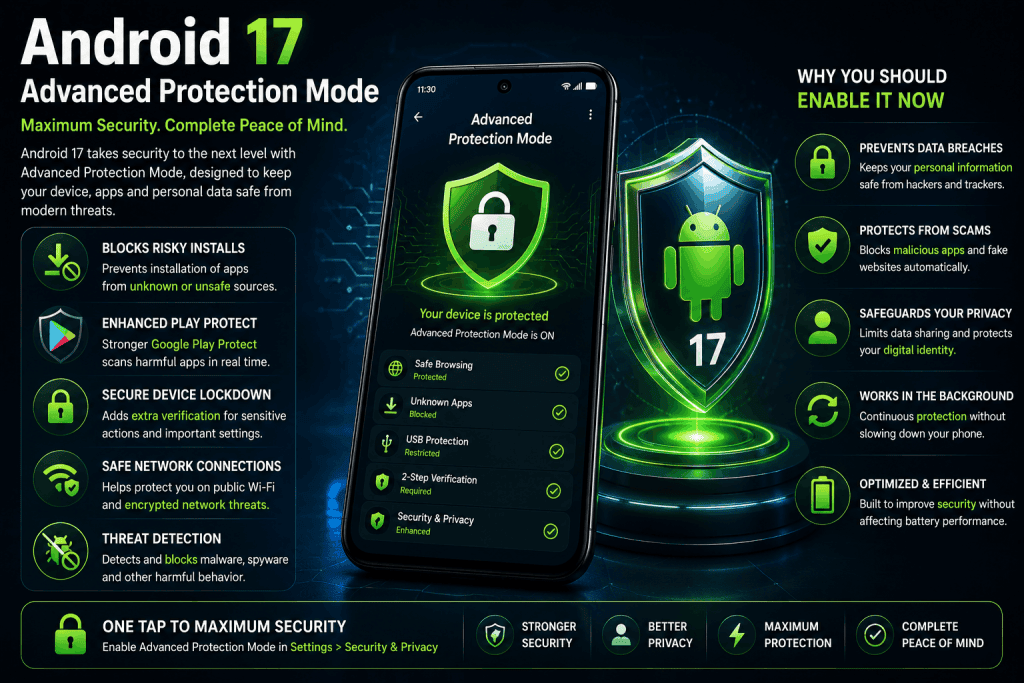
3. Advanced Protection Mode
One of Android 17’s biggest security improvements is Android Advanced Protection Mode.
When enabled, it strengthens device security by restricting risky actions such as installing apps from unknown sources and requiring additional protections through Google Play Protect. This feature is especially useful for people who want maximum device security.
4. Smarter Screen Recording
Android 17 introduces improved screen recording features for creators.
You can record your screen while showing your selfie camera, making tutorials, reaction videos, and app demonstrations much easier.
Many creators also use AI-powered apps to edit videos, generate subtitles, and improve content quality. Explore our article Top 10 Free AI Tools Everyone Should Use in 2026 to discover some of the best free AI tools available today.
5. Improved Gaming Experience
Gamers will notice smoother gameplay thanks to performance improvements and better optimization, particularly on foldable devices.
Android 17 also continues improving controller support and gaming performance across compatible devices.
6. Dedicated Assistant Volume Control
Android 17 separates Assistant audio from regular media volume.
This means you can lower music volume without affecting voice assistant responses—or do the opposite—giving you much better audio control.
7. Better Battery Efficiency
Android 17 includes system-level performance improvements that help reduce unnecessary background activity.
Although battery life still depends on your device and apps, many users should notice more efficient power management after updating.
8. Stronger Anti-Theft Features
Google has continued improving Android’s theft protection tools.
These features make it more difficult for unauthorized users to access your device if it is stolen, adding another layer of protection for your personal information.
9. Improved Content Sharing
Android 17 introduces better sharing tools and creator-focused improvements, including higher-quality media sharing and smoother workflows for supported apps.
10. Faster Overall Performance
Although many improvements happen behind the scenes, Android 17 focuses on making the operating system feel faster, smoother, and more responsive.
From improved animations to better resource management, the overall experience is more polished than previous versions.
Technology continues to evolve rapidly, from smartphones to scientific discoveries. If you’re interested in the future of innovation, read our article New Earth-Like Planet Discovered? What Scientists Know in 2026.
Should You Update to Android 17?
If your device supports Android 17, updating is recommended.
Besides new features, you’ll receive the latest security protections, bug fixes, privacy improvements, and performance optimizations that help keep your phone secure and reliable.
Using your phone wisely is just as important as keeping it updated. Along with digital wellbeing, maintaining a healthy lifestyle can improve your daily productivity. Check out our guide 10 Superfoods You Should Eat Daily for Better Health in 2026 for simple nutrition tips.
Final Thoughts
Android 17 isn’t just about visual upgrades. Many of its most useful improvements are hidden inside the settings and system features.
From Advanced Protection Mode and smarter multitasking to stronger privacy controls and improved performance, Android 17 delivers meaningful upgrades that can improve your daily smartphone experience.
Taking a few minutes to explore these features can help you get much more from your Android device.

Comments
No comments yet. Be the first to comment!
Related Blogs
 Technology
Meta Introduces New AI Features for WhatsApp, Facebook and…
spidernewshub
 Technology
Best HP 14 Laptop 2026 Review – Intel Processor,…
spidernewshub
 Technology
Google Chrome Introduces AI Shopping Assistant in 2026
spidernewshub
Leave a Comment